What is the best piano-learning app?
ROLI Learn, Pianote, Yousician… What’s the difference between all these apps, and which one is right for you?
Best piano learning apps in 2026
Learning a new instrument can often feel overwhelming. And it starts with a particularly tricky decision you need to make before you’ve even played your first note: how do you want to learn? Luckily for those of us who want to learn piano, there are lots of good options. In addition to the traditional route — physically attending lessons with a teacher — we now have several well-regarded piano-learning apps to choose from.
But which one is right for you? This article is here to help you figure it out. Full disclosure: We’re the creators of the ROLI Piano Learning System. It’s not the only effective option out there, but it does have some unique benefits that we think make it the best choice for many beginners and returning players:
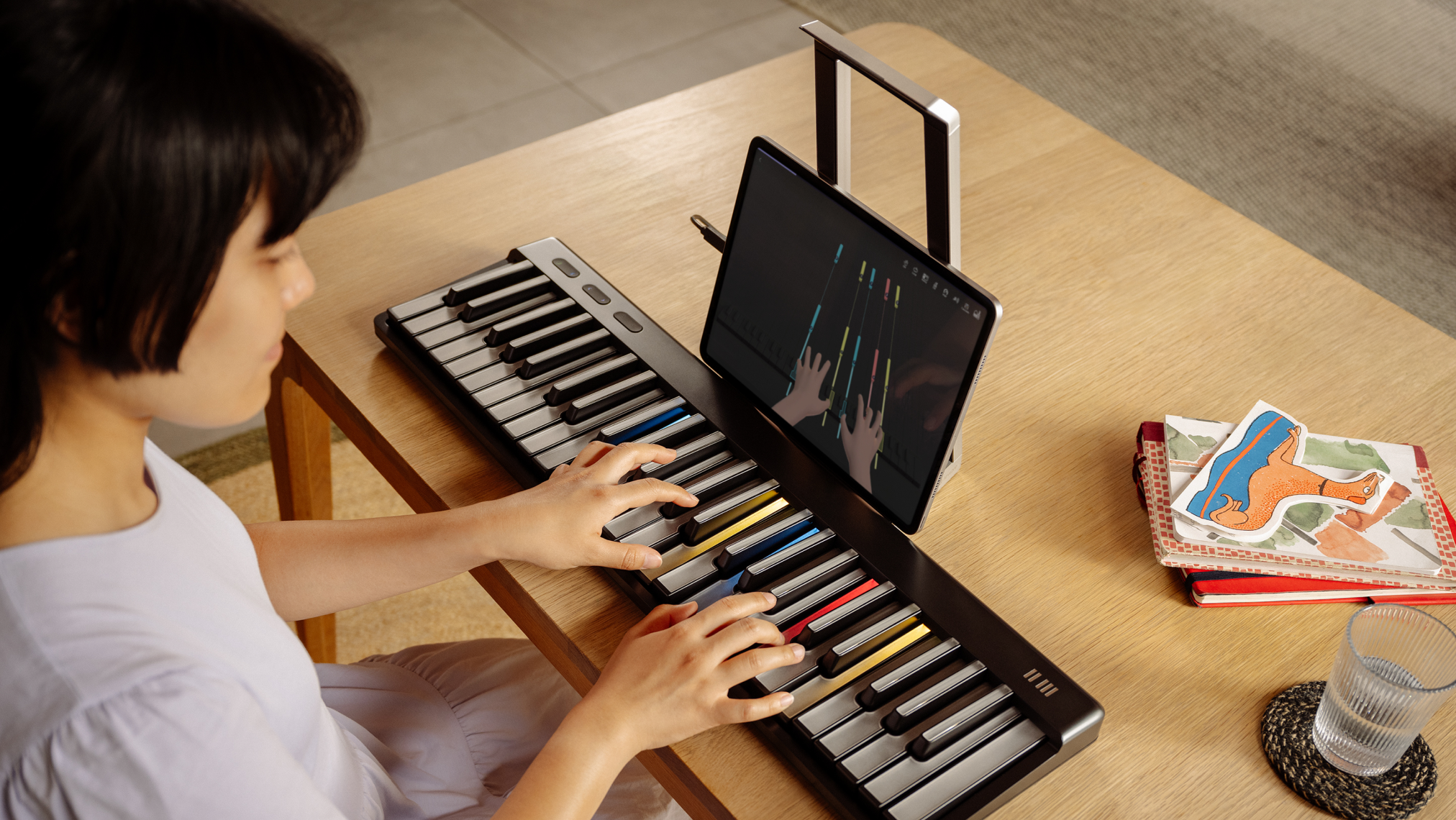
The first — and only — piano-learning app that can see your hands as you play
A holistic, hardware/software learning ecosystem
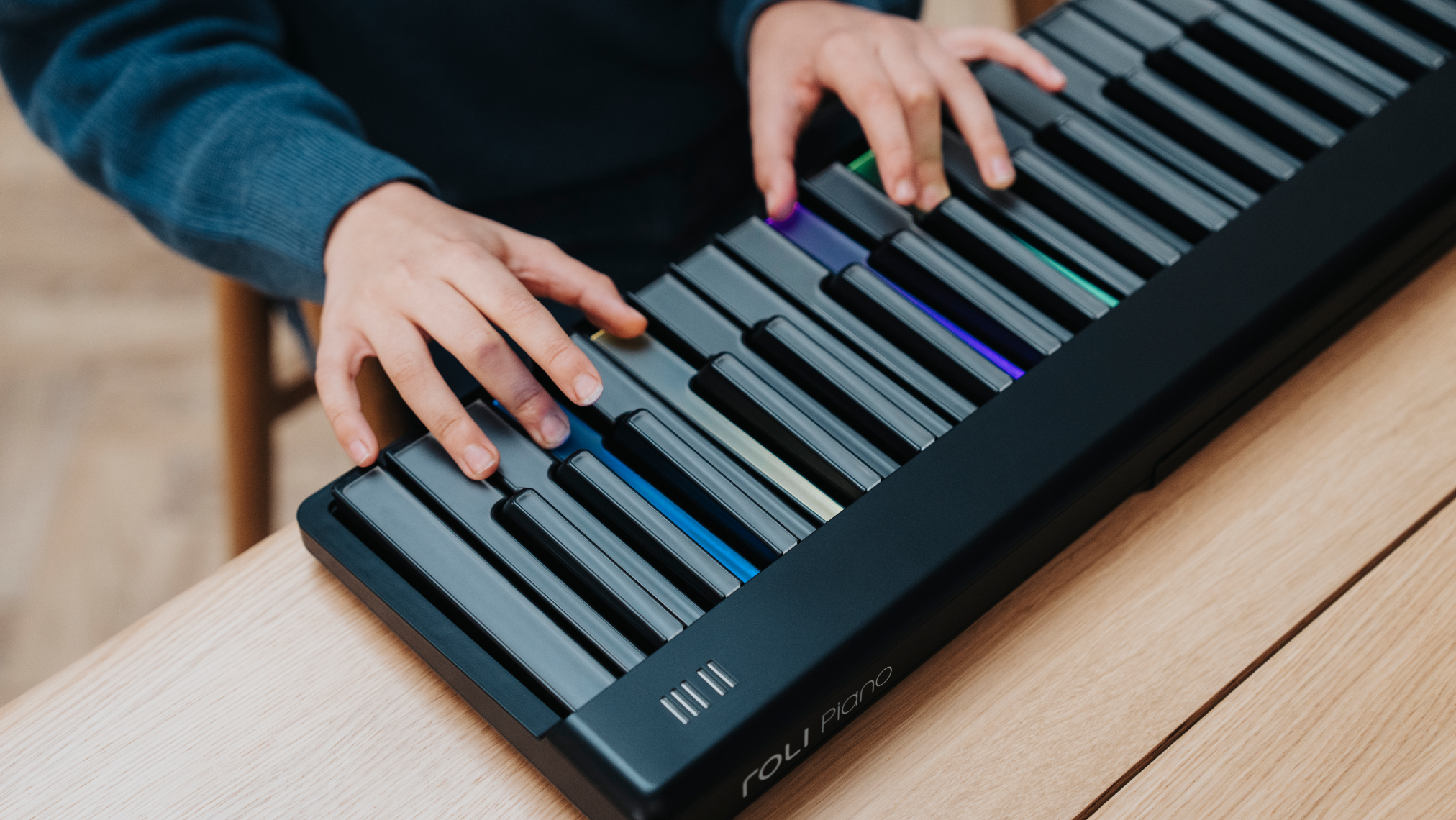
Color-coded keys light up to show you which notes to play
Up to ten times cheaper than traditional lessons
What makes the best piano-learning app?
At first glance, this might sound a little like, “How long is a piece of string?” And it’s true that the answer is very personal, but there are a few criteria we can reliably use to determine how effective — or how ineffective — a particular piano-learning app or method is likely to be.
Research published in the International Research Journal of Engineering Science, Technology and Innovation in 2022 found that learning methods that employ visual cues, as opposed to simply using sheet music, reduce cognitive load and result in better learning outcomes, as measured by learning speed and accuracy.
Furthermore, a paper published in the journal Frontiers in Psychology, also in 2022, identified feedback as the single most critical factor for successful music learning. The authors divide this feedback into three distinct types, with “feed forward” — that is, feedback that provides a specific roadmap for effective next steps — being the most valuable.
All of the apps we recommend employ visual cues to varying extents. To our knowledge, however, only the ROLI Piano Learning System pairs vivid visual feedback on the piano keys themselves with highly targeted, personalized feedback (and “feed forward”) based on how your hands actually move on and above the keyboard.
Based on the available research and our own experience, a good piano-learning method must:
1. Provide visual cues
It’s commonly suggested that around 65% of people are visual learners. While we are all multimodal learners to some degree, it’s been shown that the presence of visual stimuli improves learning outcomes for many people in many disciplines.
2. Offer targeted feedback
Feedback is essential — you need to know how you’re doing in order to improve. But the difference between “good job” and “your note accuracy was great, but try using your ring finger to play that F note in the bridge” is enormous.
3. Be adaptable
Not everyone learns the same way — and our needs and preferences can change from session to session. A good app offers several different ways to learn. A great one tailors the experience to your specific strengths, weaknesses, and even mood.
4. Keep learners engaged
With enough motivation, even a suboptimal learning strategy can produce good results. But no amount of educational expertise can outweigh a lack of desire to learn. The best apps and methods understand this and make the process as enjoyable as it is effective.
Which piano-learning apps are available?
In 2026, there’s no shortage of options for anyone wanting to learn piano at home on their phone or tablet. There are multiple good options for every kind of learner and at every budget. The apps we’ve chosen to include below are some of the most recommended. Note that all of the below apps offer free trials but require a paid subscription to unlock the full range of content on offer.
ROLI Learn / ROLI Piano Learning System
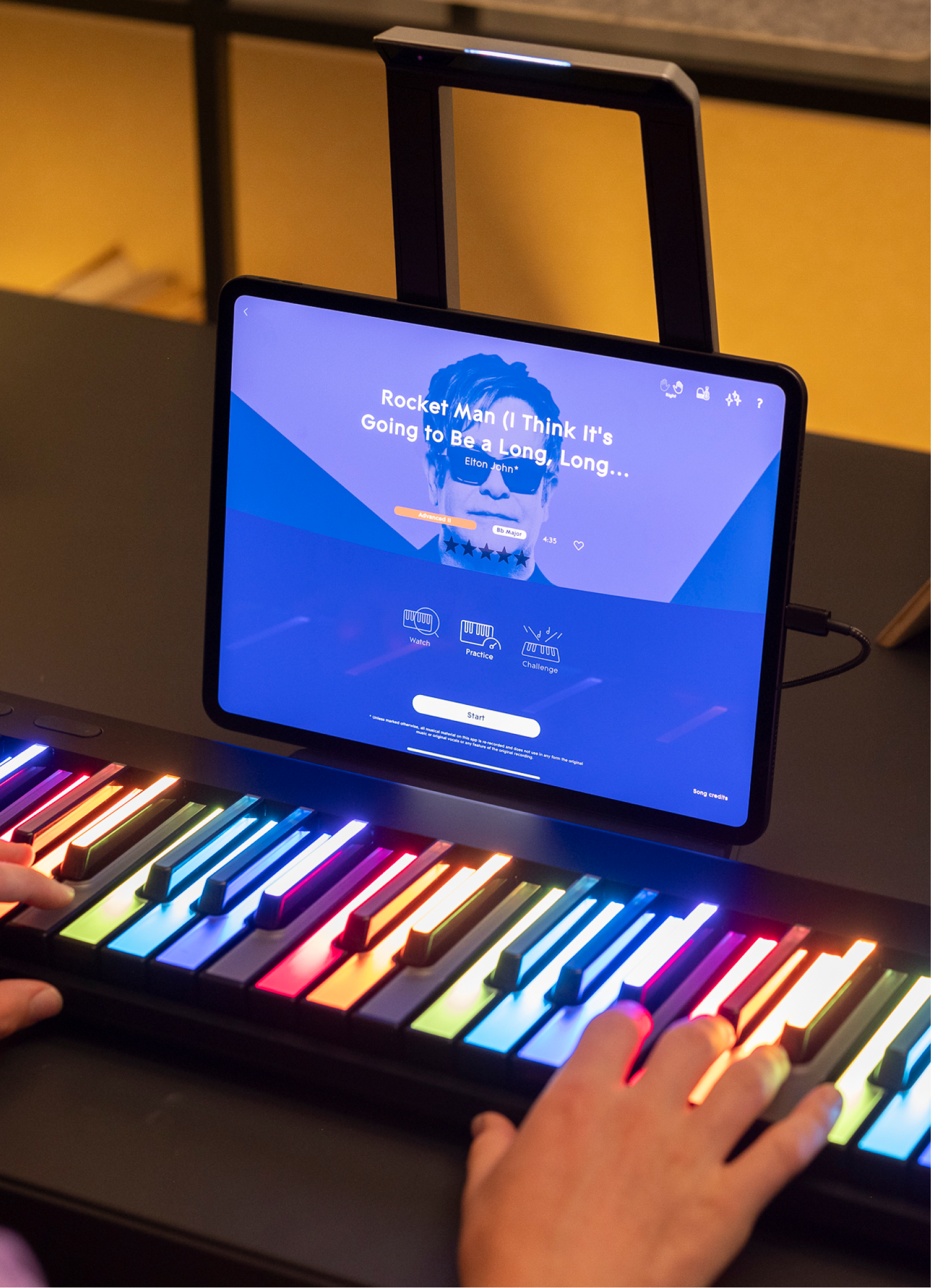
ROLI Learn is currently the only app that powers an integrated hardware/software learning ecosystem. Pair it with ROLI Piano or Piano M to unlock a library of more than 1,300+ songs, multiple playing views, a guided curriculum of interactive video lessons, and much more.
The ROLI Piano Learning System is completed with the addition of Airwave, a revolutionary piece of technology that tracks your hands in incredible detail, offering the app’s AI Music Coach to offer precise conversational feedback in real time.
— Holistic piano-learning ecosystem
— Glowing keys light your way through songs
— Airwave tracks your hands to enable conversational feedback
— Large, growing libraries of songs, lessons, games, and exercises
— Family plans and educational discounts on hardware available
Consider the ROLI Piano Learning System if: You’re a complete beginner or returning learner who doesn’t already own a keyboard and wants an all-in-one system.
Simply Piano
The beginner-focused Simply Piano is one of the most popular piano-learning apps out there. It employs a game-like interface that encourages you to play along with scrolling notes while the app listens via your device’s microphone. Learning is based around short, bite-sized lessons adapted to your level.
— Polished, intuitive interface
— Large song library spanning many genres
— Support MIDI connection or microphone listening
— Family plan available for up to 5 profiles
— Well-structured curriculum
Consider Simply Piano if: You want a fast, frictionless way to just start playing that’s suited to children or complete beginners.
Flowkey
Flowkey is a song-focused platform that pairs sheet music with a split-screen video of a pianist’s hands playing along — you learn by following along with both. As with ROLI Learn, you can slow songs down and play one note at a time until you master them.
— Large song library with arrangements at multiple difficulty levels
— Split-screen view is useful for visual learners
— Works on desktop and mobile devices
— Wait Mode, slow mode, and loop features
— Free memberships with qualifying Yamaha keyboards
Consider Flowkey if: You're an adult who learns best by playing real songs at your own pace. It’s worth noting that owners of certain Yamaha keyboards may qualify for free access.
Skoove
Skoove is one of the more “traditional” apps on this list. Its focus is firmly on lessons, teaching learners to read sheet music and understand basic theory from the outset. To learn songs, you first listen through, then learn the notes, and finally try to play them yourself. It also works as a platform for live 1-1 lessons with piano teachers.
— Teaches sheet music and theory from the start
— Uses AI to provide feedback
— Optional (paid) live lessons with human teachers
— Works with acoustic pianos via microphone
— Lifetime deals available
Consider Skoove if: You want to pair a relatively traditional approach to music education with the benefits of learning at home in your own time.
Piano Marvel
Like Skoove, Piano Marvel places a heavy emphasis on the “learn” part of learning to play. Its structured method is designed to develop sight-reading ability, which you’ll need in order to make the most of its large library of licensed sheet music.
— Strong focus on learning to sight-read
— Very large song library
— Well-structured curriculum
— Upload and play along with your own MIDI/MusicXML files
— Popular with piano teachers
Consider Piano Marvel if: You’re specifically interested in sight reading or are looking for an app to complement traditional lessons with a human teacher.
Playground Sessions
Co-designed by Quincy Jones, Playground Sessions combines video lessons with interactive exercises and video-game style scores for each performance. It allows you to tackle various “bootcamps” that correspond to your current level and features a large library of licensed songs.
— Includes video lessons from recognizable musicians
— Gamified scoring system adds motivation
— Large song library
— Available on desktop and mobile devices
— Lifetime purchase option
Consider Playground Sessions if: You want to learn on a Mac or PC (most apps on this list support only mobile devices) or prefer a lifetime membership to a monthly or annual subscription.
Pianote
More so than the other apps on this list, Pianote is heavily focused around its library of video lessons. Learners work through it according to a structured, 10-level curriculum. Note that Pianote lacks the interactive, play-along style songs of most apps.
— High-quality video instruction
— Strong guided curriculum covering basic theory
— Weekly live Q&A sessions
— Pianote+ includes access to other instruments
— Spans a wide range of genres and styles
Consider Pianote if: You’re a self-directed learner who would enjoy working through an extensive library of video lessons and practicing by yourself outside of the app.
Yousician
Yousician is unique among the apps listed here in that it’s not just for learning piano (though it’s worth noting that a Pianote+ subscription gives you access to apps for other instruments, too). It uses a scrolling-note interface to guide you through songs and listens via your devices microphone.
— Works with acoustic pianos via microphone
— Multi-instrument access on Premium+ plan
— Family plans available for up to 4 accounts
— Gamified structure with weekly challenges
— Available on desktop and mobile devices
Consider Yousician if: You want to learn multiple instruments or have an acoustic piano and need an app that can hear you playing (as opposed to requiring a digital connection).
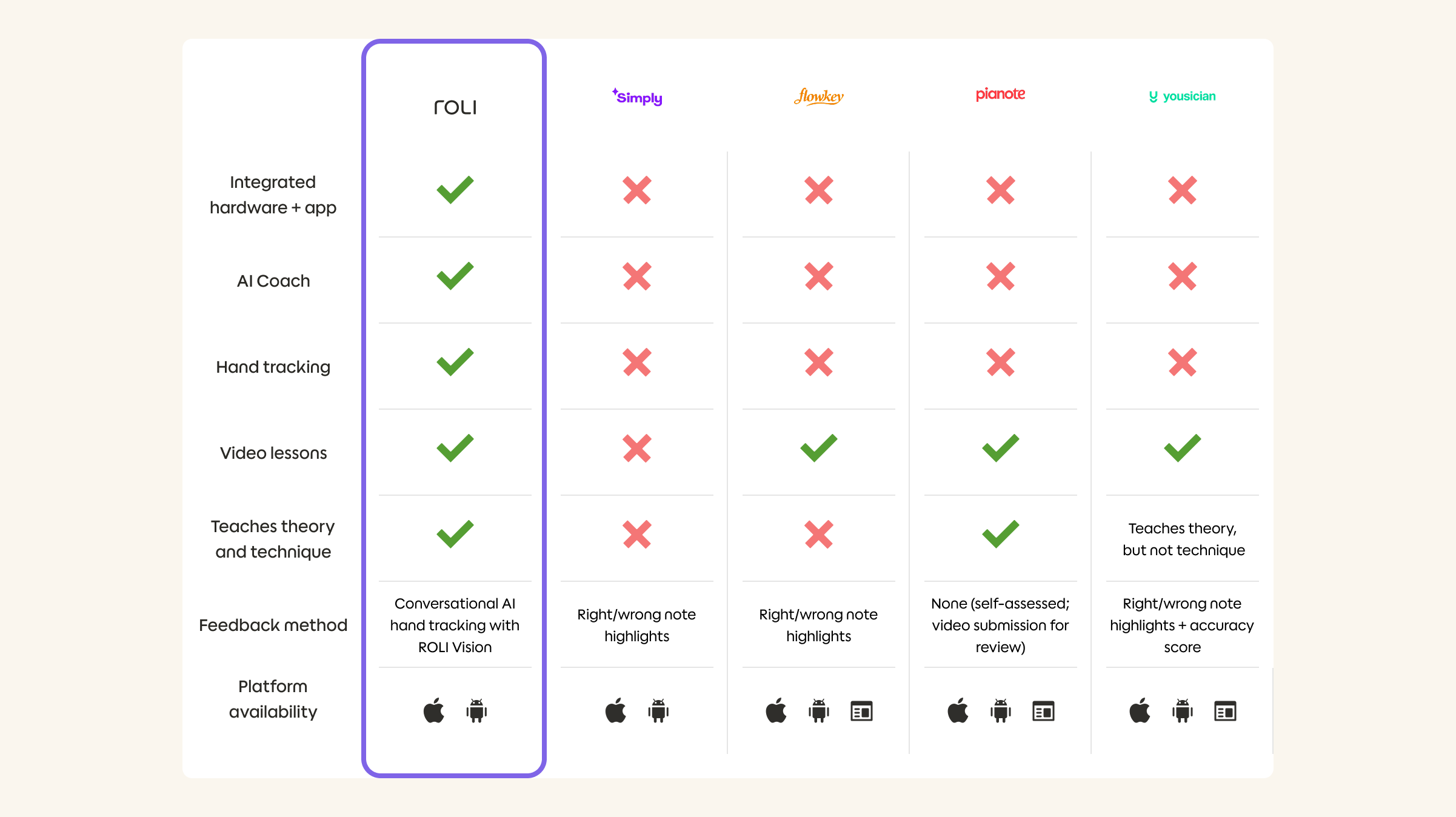
ROLI Learn vs other piano-learning apps: A side-by-side comparison
In the table below, you can compare the ROLI Piano learning system against the industry's top-rated alternatives. We’ve based our methodology on four key metrics: Feedback Accuracy, Hardware Integration, AI Capability, and Price.
Methodology: Data collected via public feature lists.
Why the ROLI Piano Learning System is right for many people
We’ve designed the ROLI Learn app and our keyboards, Piano and Piano M, with all of the above in mind. But we don’t have a monopoly on well-designed piano-learning apps or carefully considered curricula. The first, and most obvious, thing that sets ROLI apart is our fully integrated ecosystem.
When you learn with ROLI, your piano works seamlessly with your piano-learning app. Prop your tablet or phone up behind the keyboard, and you have the ultimate all-in-one piano-learning station. Add Airwave, and the whole system becomes a whole lot smarter — now it can see your hands as you play and offer real-time conversational feedback with the help of AI.
It’s more visual, thanks to the glowing keys. It offers better feedback, thanks to Airwave. It’s more adaptable, thanks to AI Music Coach. And it’s incredibly engaging, thanks to an ever-growing library of licensed hit songs, video lessons with real teachers, and fun games and exercises that let you put your new skills to the test.
If you already own a piano or a keyboard that you’re happy with and want to learn on, any of the apps mentioned below may work for you — we’ve tested all of them and found them to be generally effective. If you’re starting from scratch and want to give yourself the best possible starting point, however, we firmly believe that the ROLI Piano Learning System leads the pack.
Awards and recognition
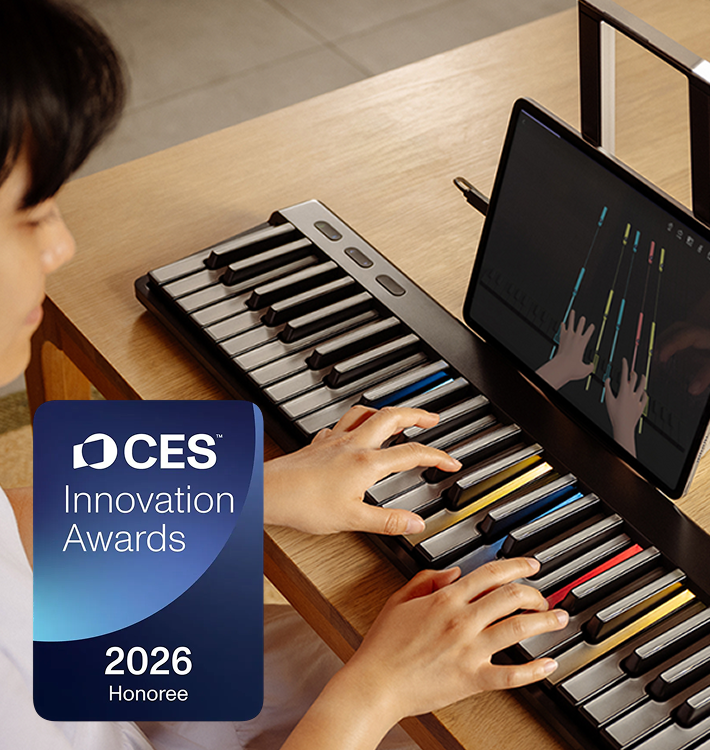
ROLI’s commitment to innovation and educational excellence has been recognised by many global authorities in technology and design over the years. Here are a few of them.
Time Magazine
ROLI Piano Learning System is a 2025 Best Invention
CES
ROLI Piano System is a 2026 CES Innovation Award Honoree
iF
ROLI Airwave is a winner of the 2026 iF Design Award
Verification of these awards can be found on the official websites for each awarding body: Time Magazine, CES, and iF.
What our community of piano learners has to say
Incredible Product and Technology
“The product the Roli team has produced is truly one of a kind. The way the technology integrates and gamifies the learning experience is unparalleled. Highly recommend the product to anyone wanting to learn how to play piano and I have recommended it to anyone with young children.”
– Alexandru, USA
My experience with ROLI Piano is great
“My experience with roli piano is great since the day it arrived. It's a great combination of software and hardware, high quality content and materials. It's been 2 months and we love using it and learning thorough the app”
– Atil, Netherlands
Love ROLI
“Love roli. Great support via discord and with the community as well. Been using airwave with roli piano and seaboard for the last month, so enjoyable.”
– Jason, Australia
Incredible Piano Music-Learning Experience
"It is just an incredible piano music learning experience. With a full lack of knowledge I can do things I could not even imagine."
– Luis, Spain
How to choose the right piano app for you
Choosing the right learning method for you is a personal decision, and it’s a big one — you may well be taking the first step of a lifelong journey. With that in mind, here are a few pointers that can help you make the right choice.
1. Assess your learning style
Determine if you are a visual learner (most people are, to some extent).
Decide whether you would prefer "gamified" learning or traditional sheet music.
Action: Look for apps that offer the kind of learning experience that best suits you — some, including ROLI Learn, provide a spectrum from cascading, video game–style notes to traditional sheet music.
2. Verify feedback technology
Do any of the apps you’re evaluating rely solely on your device’s microphone? This isn’t ideal, but might still be your best bet if learning on an acoustic piano.
Where possible, we recommend the use of a connected keyboard as a minimum — either via USB/MIDI or Bluetooth — for increased note-detection accuracy.
Hand-tracking can allow for even more precise feedback, and is excessive to ROLI Learn and Airwave at the time of writing.
Action: Try to evaluate the app yourself, or check reviews, to see if it “understands” your playing well enough to provide detailed, actionable feedback (and has the capability to do so built in).
3. Check curriculum depth
You can’t learn piano overnight (unfortunately). A good app recognises this and comes packed with months of even years worth of content. The best provide at least 500+ hours.
Learning songs is great, but you’ll need additional material to offer guidance and help you develop an understanding of both theory and technique. Look for apps that offer this, ideally via videos or interactive lessons (ROLI Learn offers hundreds of interactive video lessons, for example).
Look at the genres on offer. A strong curriculum will likely incorporate classical, pop, jazz, and cinematic — plus any of particular interest to you.
Action: Many apps publish their song libraries, so check to see which include your favorites.
4. Evaluate hardware compatibility
Does the app work with the keyboard you own, or require a specific keyboard?
If a specific keyboard is needed, will you outgrow it and need to purchase another one as you improve? Hint: Both ROLI Piano and Piano M are also professional-grade expressive MIDI controllers, and Piano M can be expanded with a second keyboard that attaches magnetically
Action: Evaluate your hardware options carefully — a high-quality instrument will be a pleasure to learn on and support years of progress and musical exploration.
5. Compare total cost of ownership
Consider the cost of the app subscription plus the piano itself.
The best apps are all available on a subscription basis, but costs vary.
Consider if you are learning alone or could save with a family membership as opposed to multiple subscriptions for people in the same household.
How long do you plan to learn for? Systems like ROLI’s come with a significant up-front cost, but often work out cheaper than other methods in the long run.
Action: Do the math, get a clear picture of costs, and choose the system that offers the best value for you.
Conclusion
Finding the right app for learning piano depends on you. There are a lot of factors to consider, and the relative importance of each one comes down to your personal preferences, prior experience, learning goals, budget, and other factors. We’d love for you to choose ROLI, of course, but if you take your time to make the right decision for you you’re unlikely to go wrong.
Want to try us out? We offer free shipping on all products, a 30-day money-back guarantee, and a two-year warranty on every product.
FAQs about the best piano apps
What is the best piano app?
Which piano app is “best” depends on you. If you don’t already own a high-quality keyboard or piano, we believe the ROLI Piano Learning System gives you the best possible starting point. If you already have a piano or keyboard that you want to learn with, you should be able to make good progress using any of the other apps mentioned in this post.
How much does it cost to learn piano with an app?
Costs vary across all the apps mentioned here, and may also change depending on which region you are in. In general, we’ve found that the best apps all charge a subscription fee of between around $10 and $30, with some offering discounts via family plans, annual payments, or lifetime deals. At time of writing, ROLI Learn offers the lowest monthly cost of the apps compared above. You’ll also need to factor in the cost of a keyboard if you don’t own one already.
Can you really learn to play piano using an app?
Yes, absolutely! We know from our own experience and research that many people successfully learn to play with the ROLI Piano Learning System. It teaches many individual songs as well as good technique and essential music theory — both via interactive video lessons and AI-powered conversational guidance. Other companies have also shown their own apps to be effective for learning to play.
How long does it take to learn piano with an app?
It’s hard to say. First, we need to define what “learning to play” actually looks like. From here, it comes down to you — your prior experience, your natural aptitude, and how much time you have available to practice. In general, we find that people can jump into playing along with some of their favorite songs almost right away after setting up their ROLI Piano or Piano M in the app. Note that mistakes are not just accepted to begin with, they’re positively encouraged! For many people, a positive first experience like this can prove to be the beginning of a lifelong learning journey.
What makes ROLI Learn different from other piano learning apps?
The primary difference between ROLI’s approach and the other apps mentioned on this page is that the ROLI Piano Learning System is a holistic ecosystem for learning to play. It includes your keyboard, an app for your tablet or phone, and Airwave, which uses infrared cameras to see your hands as you play. Each component is designed with the full system in mind, and you require a ROLI Piano or Piano M to use the app. We believe this is the most effective approach, but if you already own a piano or keyboard from another manufacturer that you want to learn with, the other apps mentioned above should all be compatible.
How does learning with an app compare to traditional piano lessons?
The ROLI Piano Learning System includes everything you need to learn to play piano, and can work out considerably cheaper in the long run — potentially saving thousands of dollars within the first year (click here to see how much it could save you). That said, we have no intention of fully replacing piano teachers, and many learners have found that learning with ROLI makes an ideal complement to traditional lessons.
As explained above, we believe it’s essential to make sure that the method you choose includes an element of targeted, actionable feedback. A good human teacher will provide this, naturally, but not all apps do.
Suggested articles
Best digital pianos & keyboards for beginners: Your 2026 buying guide

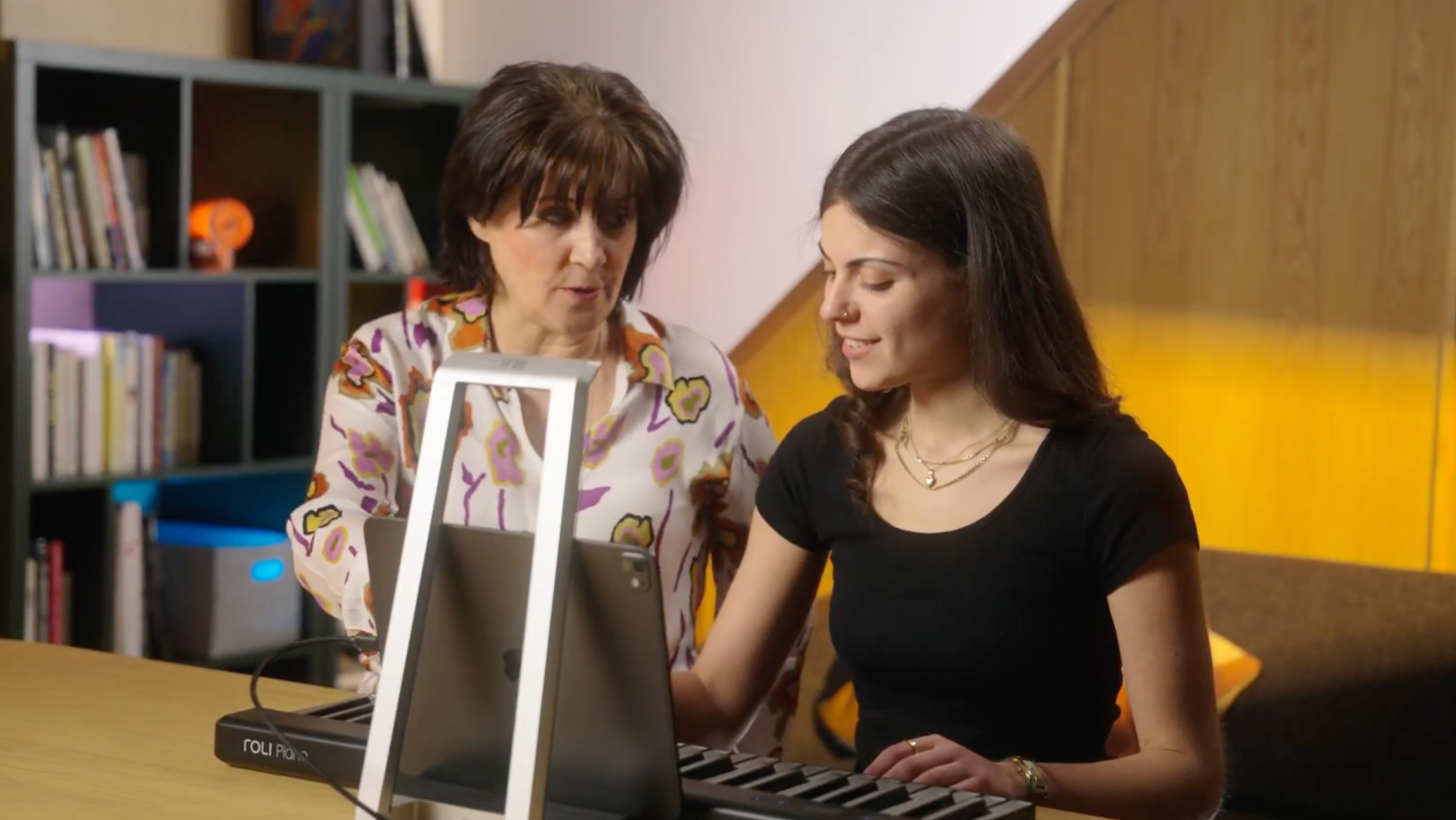
Can AI help piano teachers keep students on track?
28 new two-handed lessons in the ROLI Learn app

Why reading sheet music is overrated (and what to do instead)

New Year, new you: beat the brain rot
Join the ROLI community